 Table of Contents
Table of Contents
Table of Contents
Operator can view the sequence status and learn about the alert for a certain step.
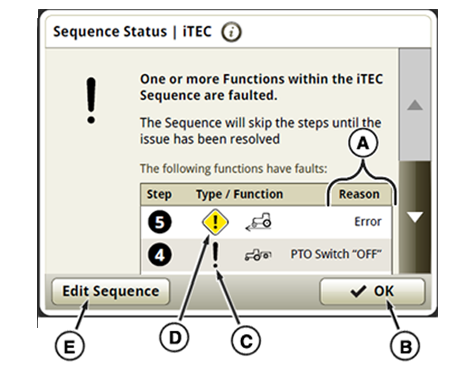
A—Text Description
B—OK Button
C—Information Alert
D—Fault Alert
E—Edit Sequence Button
iTEC system informs operator of issue by displaying Information Alert (C) or Fault Alert (D) followed by description (A).
Press on an Alert Symbol (C or D) next to sequence step (while in EDIT) will display information about the issue just for this step.