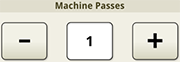
Machine Passes - Use the plus (+) and minus (-) buttons to adjust the number of machine passes used for configuring the headland.
Machine Passes
Edit Headland Details page allows the operator to configure the headland.
Size - Displays the total headland width and the track spacing. Headland width is calculated by multiplying track spacing by the number of machine passes.
|
Machine Passes - Use the plus (+) and minus (-) buttons to adjust the number of machine passes used for configuring the headland. |
Machine Passes |
|
Select Apply to impassable boundaries to apply the headland settings to impassable boundaries. |
|
